Automation and workflows
Every response, followed up automatically.
When an answer comes in, a workflow can alert your team, assign an owner, email or text the respondent, tag the response or call your other tools, so no unhappy customer waits.
- Ready-made templates
- Visual canvas
- Dry run before you publish
- Run history
From idea to running workflow
Build it, test it, publish it
Start from a template, adjust it on the canvas, try it safely and watch it run.
Templates
Start from a ready-made playbook
Pick a workflow template, such as rescuing a detractor before they churn or sending a report when a survey closes, and add it to your workspace in one click.
- Filter by feedback, engagement, reporting, sales and more
- Each card shows the trigger and the steps
- Edit everything after you add it
Canvas
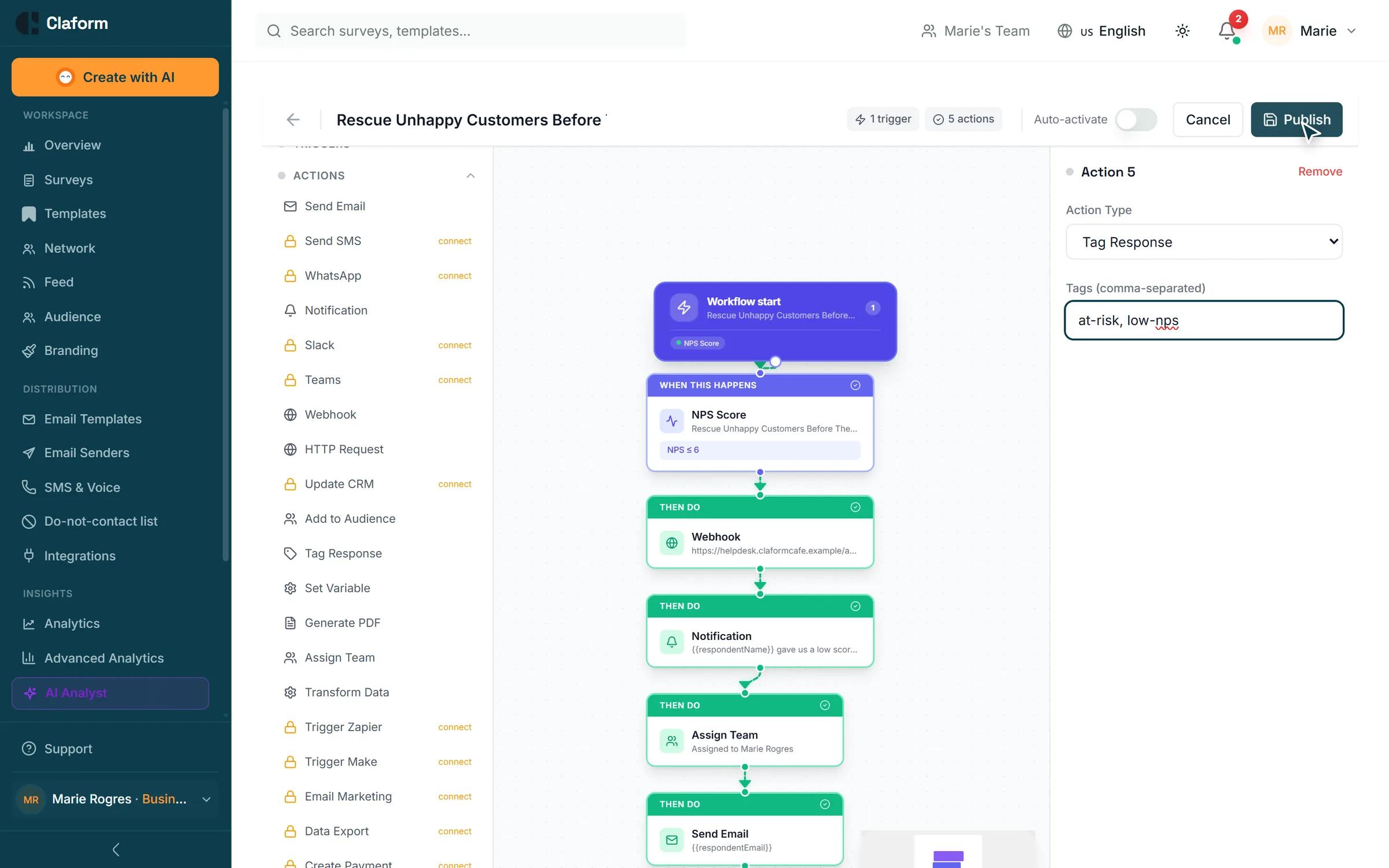
Shape the flow on a visual canvas
Choose a trigger, add conditions and chain actions on the canvas. Branch on an answer or a score, and combine rules with AND and OR groups.
- Triggers such as response completed, NPS score, survey closed or a schedule
- Conditions on answers, scores and dates
- Pass answers into messages with variables
Dry run
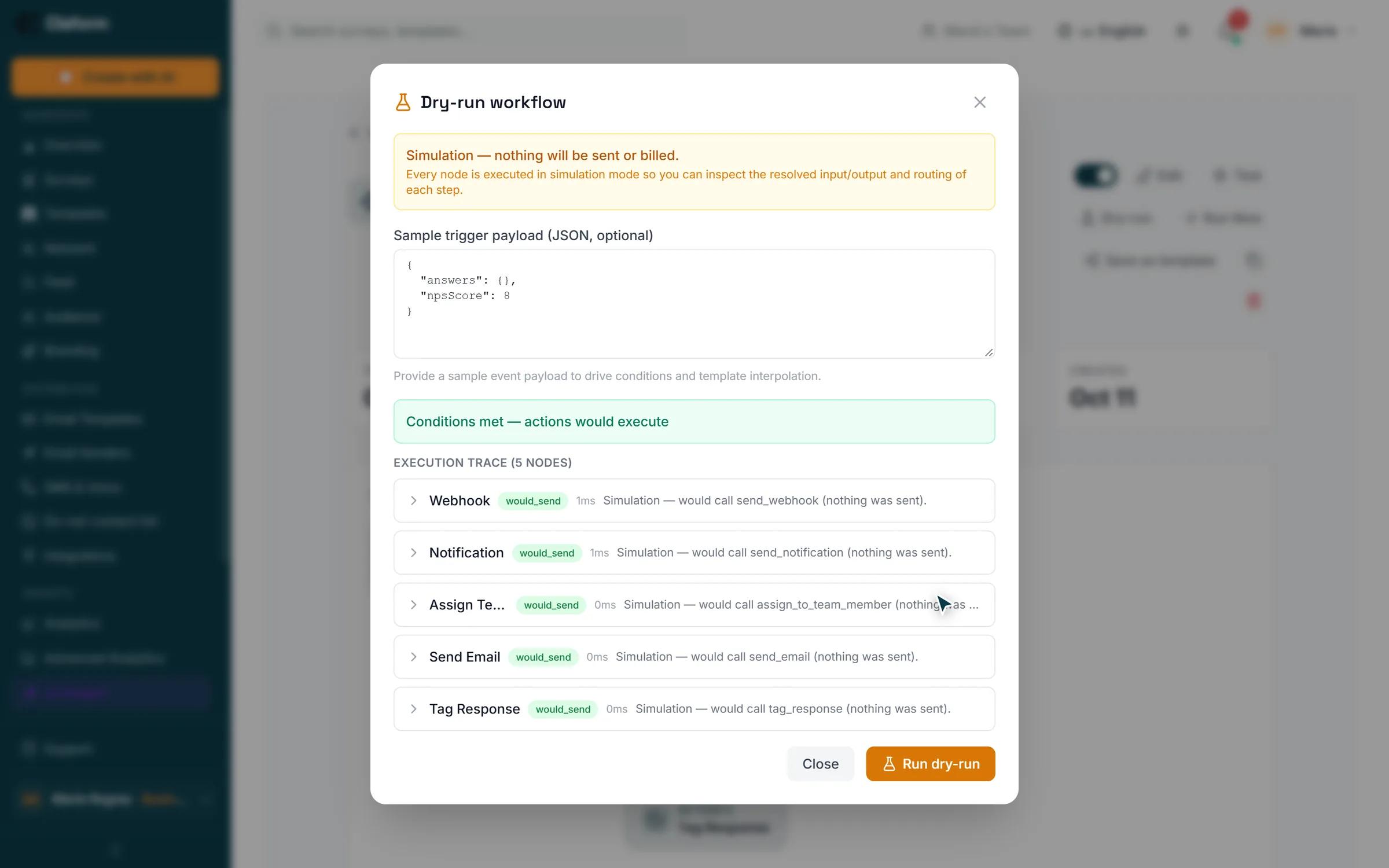
Test it without sending anything
A dry run executes every step in simulation with a sample payload, so you can check each step’s input, output and routing. Nothing is sent and nothing is billed.
- Shows whether the conditions are met
- A step-by-step execution trace
- Use your own sample data
Published
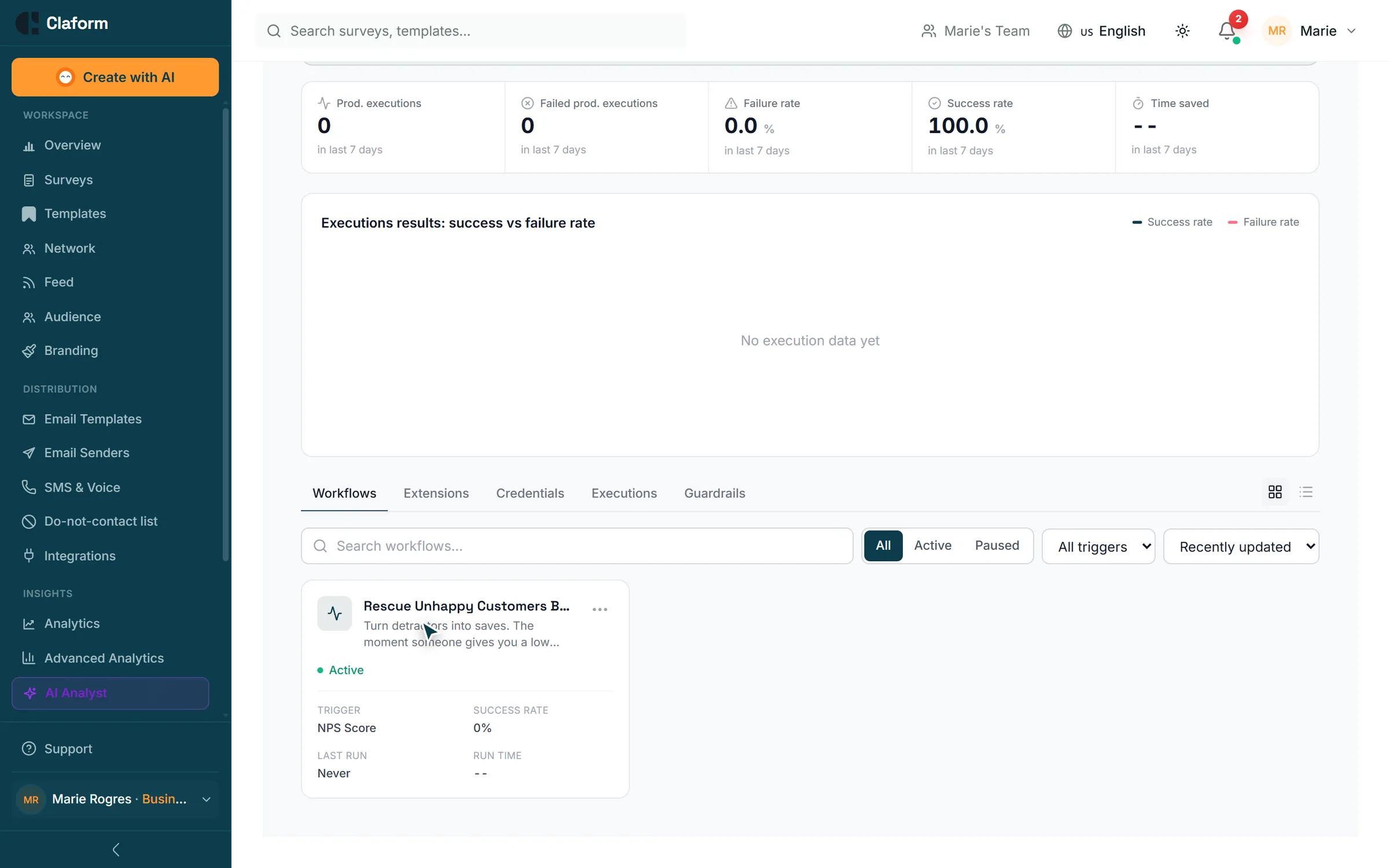
Publish it and follow every run
Turn the workflow on and it runs for every matching event. See executions, success and failure rates, and each run’s steps; retry a failed run or pause the workflow at any time.
- Run history with each step
- Retry a failed run or re-run from a step
- Version history with restore
Actions
What a workflow can do
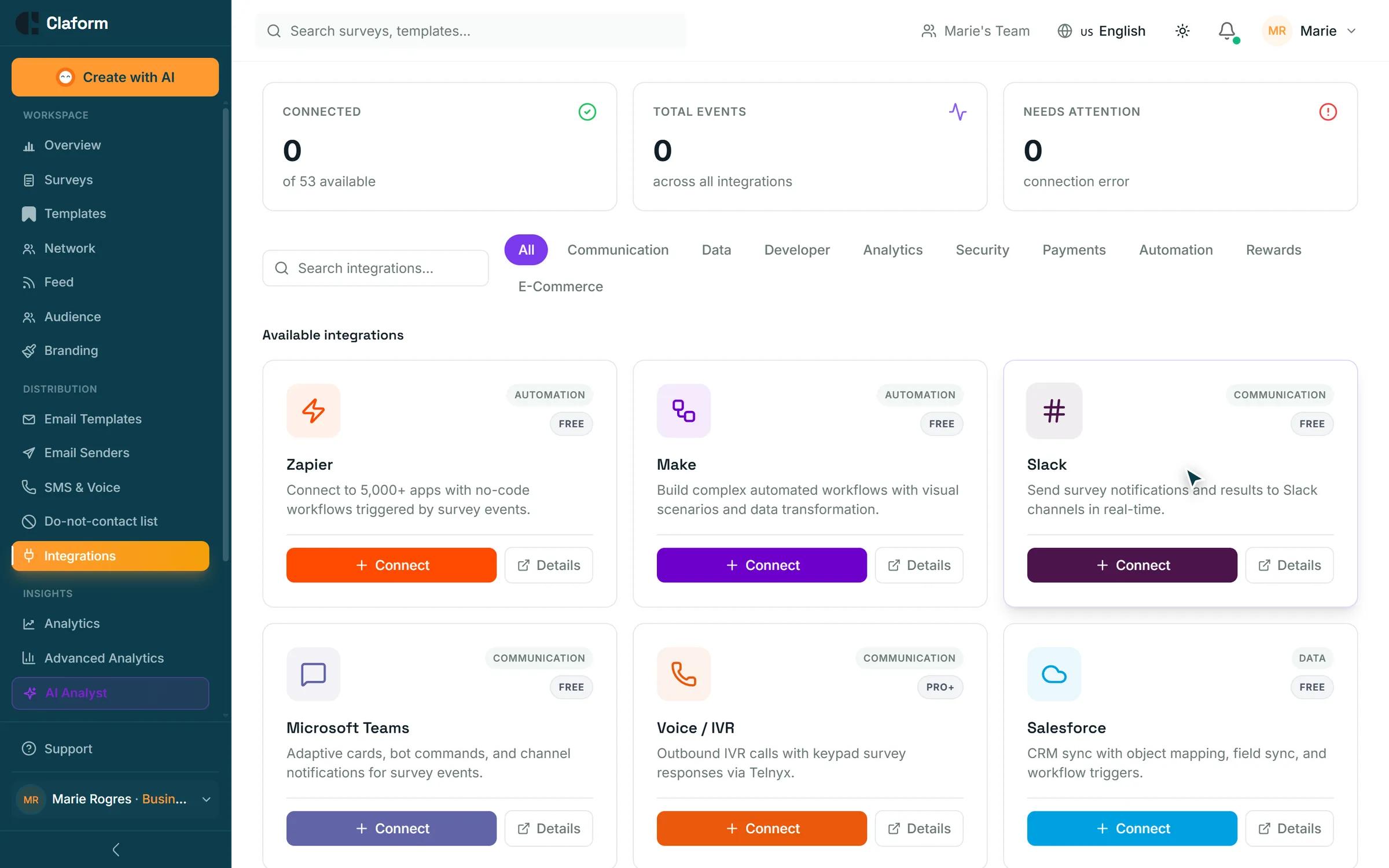
A selection of the actions you can chain after a trigger.
Send an email
Thank a respondent, follow up on a low score or send a summary to a manager.
Send an SMS or WhatsApp message
Reach a respondent on their phone with a short follow-up.
Notify your team
In-app notifications, plus Slack and Microsoft Teams messages when those integrations are connected.
Assign a team member
Give every follow-up an owner so nothing falls through the cracks.
Tag the response
Label responses for later filtering, reporting and routing.
Call a webhook or any API
Send the response to your own systems with a webhook or an HTTP request.
Trigger Zapier or Make
Hand off to the other apps you use through your Zapier or Make account.
Generate a PDF report
Create a report and send it on, for example when a survey closes.
Update your CRM and more
CRM sync, helpdesk tickets, project tasks and AI actions such as summarizing or classifying answers, on Business and higher.
Workflows are included from the Professional plan. Some actions need the matching integration or a Business plan; the editor shows what your plan includes.
Automation at a glance
- Messages sent in a dry run
- 0Messages sent in a dry runEvery step is simulated and nothing is billed
- Plan where workflows start
- ProPlan where workflows startProfessional and higher; the trial includes them
- Condition groups
- AND / ORCondition groupsNest rules on answers, scores and dates
Automation questions
Which plans include workflows?
Workflows are included on Professional and higher. Advanced actions such as CRM sync, helpdesk tickets, project tasks and AI actions need Business or higher. Each plan has a monthly allowance of workflow task runs, shown on the pricing page.
Can I test a workflow before it goes live?
Yes. A dry run simulates every step with a sample payload and shows the trace. Nothing is sent, charged or saved.
What happens if a step fails?
The run is recorded with the failed step, so you can see what went wrong, fix it and retry the run or re-run it from that step.
Do I need Zapier or Make?
No. Email, SMS, WhatsApp, notifications, assignments, tags, webhooks and PDF reports run inside Claform. Zapier and Make are there when you want to reach other apps.
Close the loop on every response.
Start on the Free plan, then build your first workflow on Professional with the trial.