White-label surveys
Branded surveys under your own name
Put your logo, colours and fonts on every survey, invitation email and report, and remove Claform branding on the Business plan. Built for agencies, consultancies, research firms and any business that wants surveys to look like its own.
- Your logo, colours and fonts
- No Claform footer on Business
- Branded emails and PDF reports
- Team roles for client work
What is white-label survey software?
White-label survey software lets you run surveys under your own brand instead of the vendor's. On the Claform Business plan, your logo, favicon, colours and fonts replace Claform branding on survey pages, invitation emails, shared dashboards and PDF reports, and the Powered by Claform footer is removed, so respondents see your brand.
The challenge
Your clients should see your brand, not your tools
Most survey tools put their own name in front of your respondents.
Someone else's logo
Respondents see the survey vendor's name on every page and every email.
One shared login
Colleagues pass around a password instead of working with proper roles.
Reports that need rework
Results are copied into slides by hand so the client sees your branding.
Styling you cannot control
Basic tools let you change one colour, not the look of the whole survey.
How Claform helps
Your brand from the first question to the final report
Real white-label settings that reach every place a respondent or client looks.
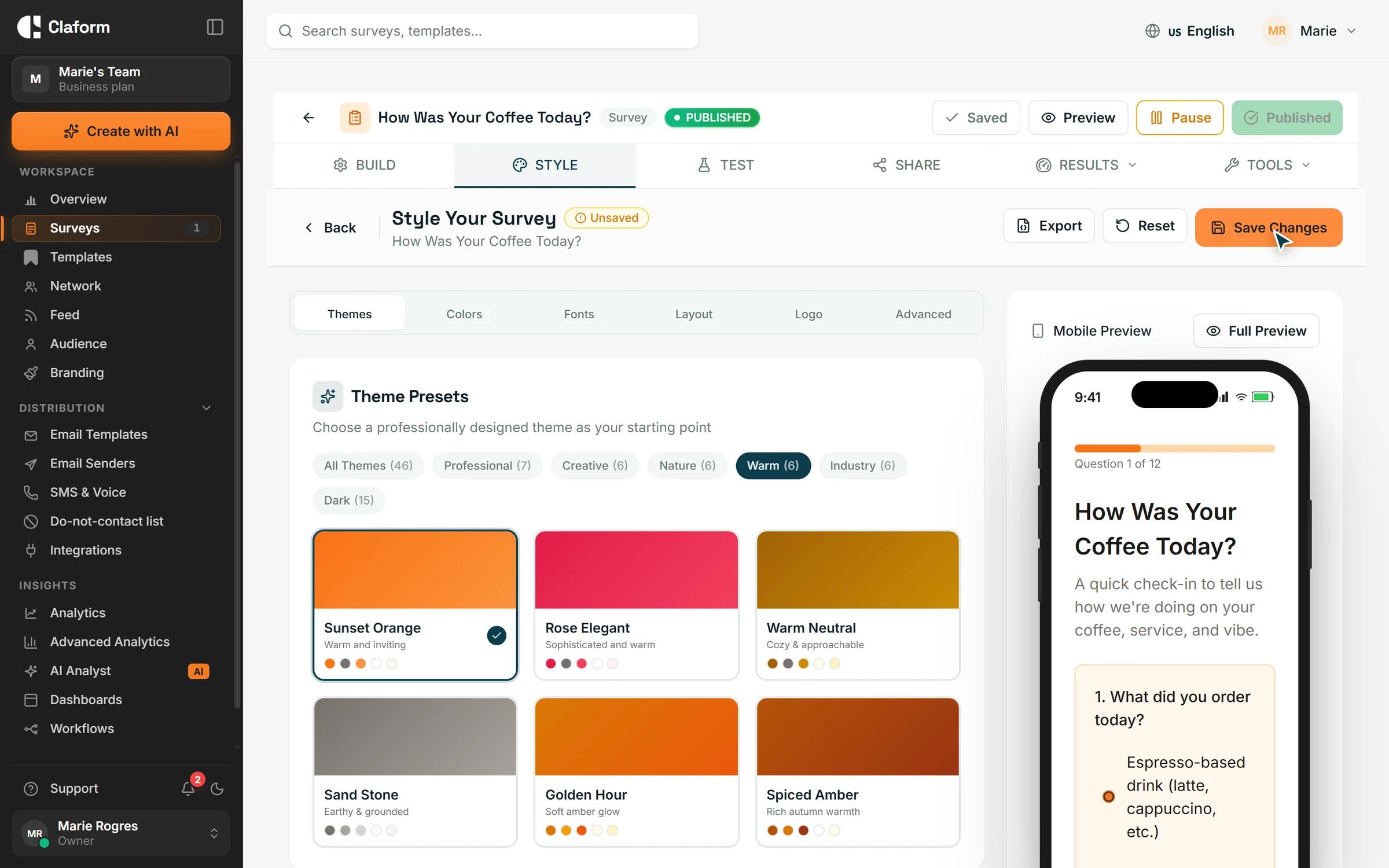
Your brand on every survey page
Upload your logo and favicon, set primary and secondary colours, and pick heading and body fonts, or start from one of 46 theme presets. On Business, remove the Powered by Claform footer and add your own CSS, which is cleaned of unsafe rules before it is applied.
- Logo, favicon and brand colours
- 46 theme presets and font choice
- Custom CSS on Business
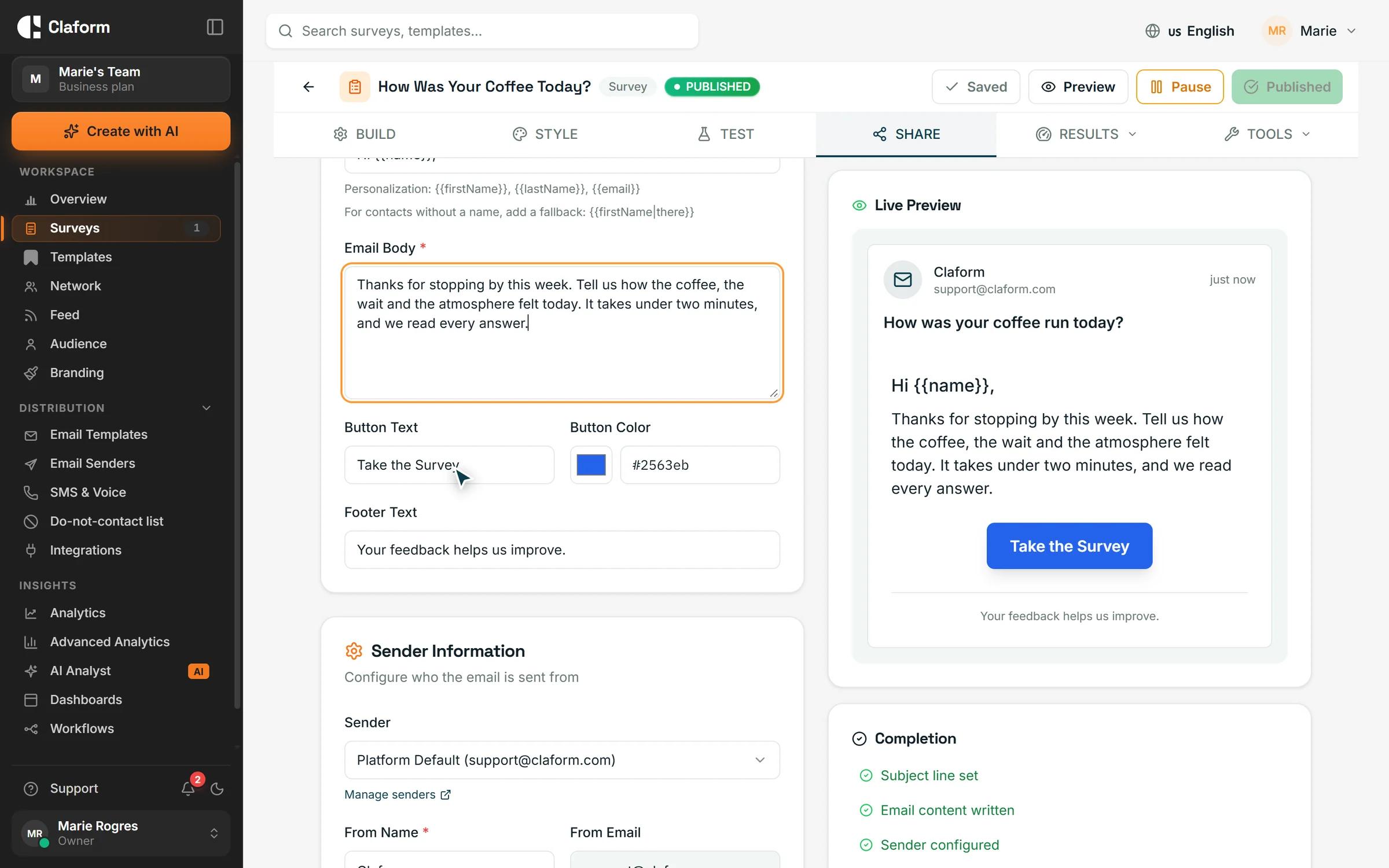
Branded invitation emails
Design survey invitations in the block-based email builder. Your white-label logo, colours and company name carry into campaign emails, and Claform branding is left out.
- Block-based email builder
- Your logo and colours in every invite
- No Claform footer on Business
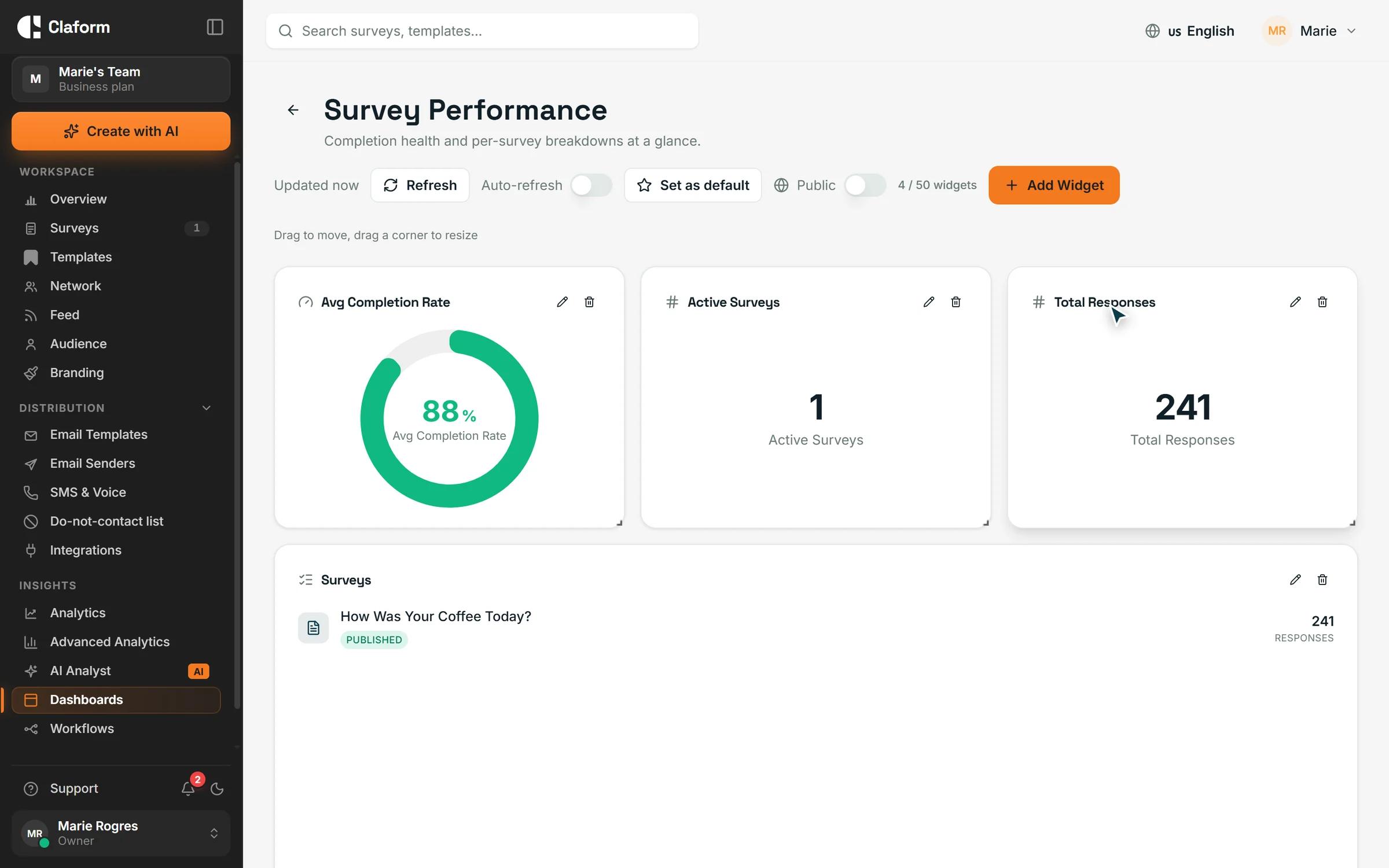
Branded results for clients
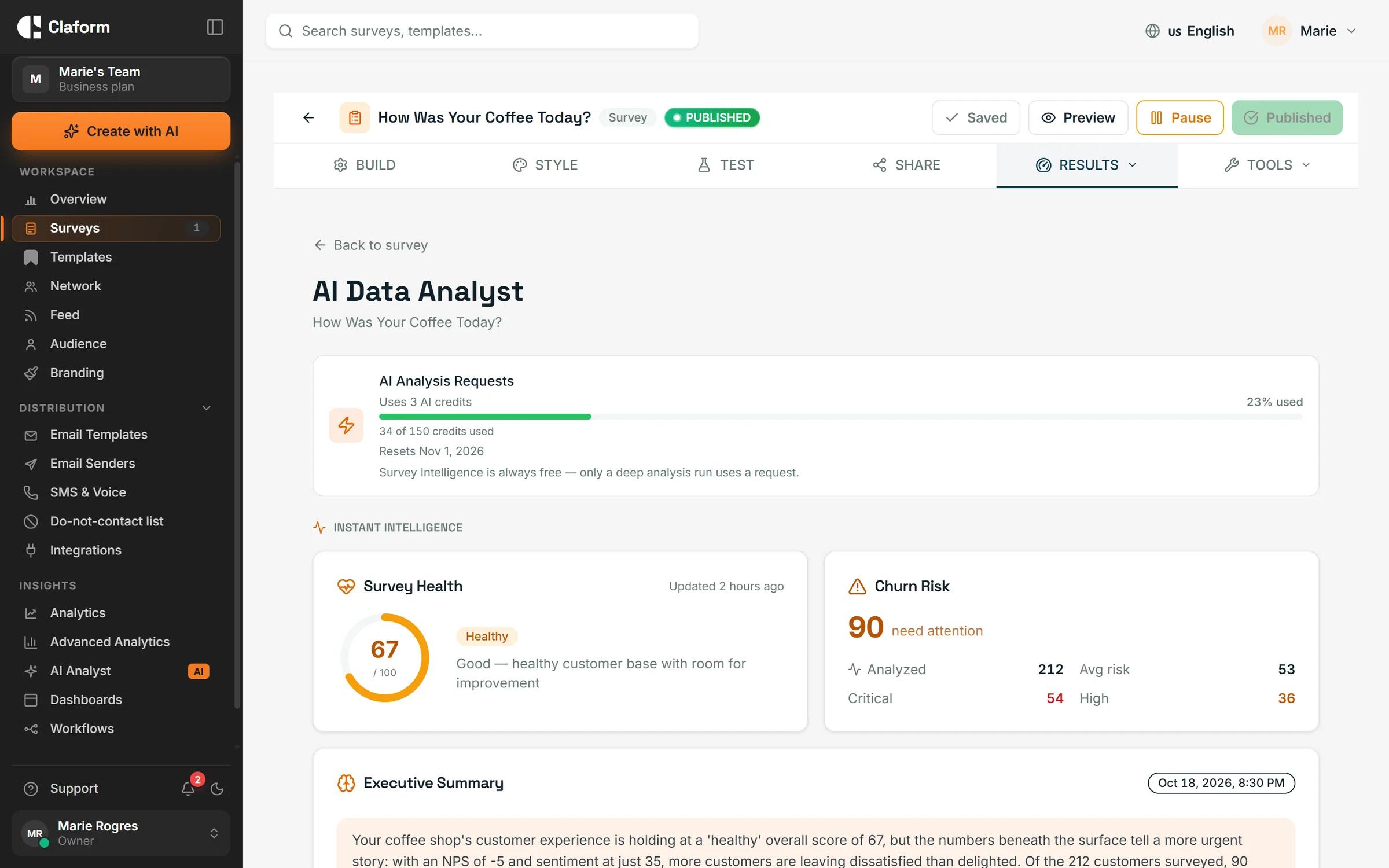
Share live dashboards by link and export AI Analyst reports as PDF, both carrying your branding. Branding settings belong to your team, and owner, admin, editor and viewer roles keep client work organised.
- Shared dashboards with your branding
- PDF reports with your logo and colour
- Owner, admin, editor and viewer roles
How it works
- 01
Set up your brand
Add your logo, favicon and colours once in the branding settings.
- 02
Build the survey
Start from a template or let Clue AI draft it, then fine-tune the theme and fonts.
- 03
Share it as your own
Send it by link, email, QR code or another channel. Respondents see your brand.
Templates for client projects
Satisfaction, market research and website feedback surveys, ready for your branding.
- Customer Satisfaction (CSAT) Survey TemplateMeasure customer satisfaction with this proven CSAT survey template. Includes key satisfaction questions, follow-up prompts, and benchmarking guidelines.View template
- Market Research Survey TemplateComprehensive market research survey for understanding your target audience, competitive landscape, and market opportunities. Includes demographic, behavioral, and preference questions.View template
- Website Feedback Survey TemplateGather actionable website feedback from visitors. Measure usability, content quality, and conversion barriers with targeted questions for continuous improvement.View template
What you get
- Theme presets
- 46Theme presetsStarting points you restyle with your own brand
- Team roles
- 4Team rolesOwner, admin, editor and viewer
- Distribution channels
- 8Distribution channelsEmail, SMS, WhatsApp, voice, QR, kiosk, Slack and Teams
- Respondent languages
- 7Respondent languagesSurvey pages in seven languages, right-to-left included
White-label questions, answered
Which plan includes white-label surveys?
Full white label, including removing Claform branding, is part of the Business and Enterprise plans. Starter and Professional let you add your logo and colours to surveys. Professional comes with a 7-day free trial. See Pricing for the details of each plan.
How do I remove Claform branding from my surveys?
On Business or Enterprise, open the branding settings and turn off the Claform branding. Survey pages, invitation emails and PDF reports then show only your logo and colours.
Is Claform a good white-label survey tool for agencies?
It fits agencies, consultancies and research firms that run surveys for clients under their own brand. You can brand surveys, emails, shared dashboards and PDF reports, and invite colleagues with roles. Claform does not offer separate client sub-accounts or a reseller programme.
Can my team share the same branding?
Yes. White-label settings belong to the team, so surveys created by every team member use the same logo, colours and styling. Invite colleagues as admins, editors or viewers.
Can I use my own domain for survey links?
Not at the moment. Survey links use a Claform web address. Everything respondents see on the page, from the logo and favicon to the colours and fonts, can carry your brand.
Can I add custom CSS to a survey?
Yes, on Business and Enterprise. Custom CSS is checked when you save it and again when the survey is shown, and unsafe rules are removed, so it can change the look of a survey without breaking it.
Your surveys, your brand
Try Claform with the 7-day free trial on Professional, then move to Business when you are ready for full white label.