Alternatives
The 7 best SurveyMonkey alternatives in 2026
Seven survey tools worth a look if SurveyMonkey is not the right fit, free and paid, with public pricing as of October 2026 and a side-by-side table.
What is the best alternative to SurveyMonkey?
The best SurveyMonkey alternative depends on what you need next. Claform, our own product, is the pick if you want AI survey drafting, eight channels including SMS and WhatsApp, and an AI Analyst that shows its statistics, with a free plan and paid plans from $25 a month. Typeform suits design-led forms, Google Forms costs nothing, Jotform leads on payments and templates, and Qualtrics fits large research programs.
How we chose
The criteria are the same on every alternatives page, so the lists can be compared with each other.
Public information only
Each tool is described by what its own public site says it does. We do not run competitor accounts or infer features from reviews.
Public pricing, hedged
Where a tool lists prices, we quote the starting point; where it does not, we say so and link to their pricing page rather than guess.
Breadth of the job
Tools that build the survey, send it to people and analyse the answers rank above tools that only do one of those steps.
Clear plans and a free way to try
A free plan or trial and plans you can buy without a sales call count in a tool's favour, because most teams want to test before they commit.
Checked October 2026. Plans and features change often; a dash in the table means we could not confirm something, not that the feature is missing.
Sources and date: tool descriptions and prices as listed on each vendor's public site, checked October 2026. Claform details come from our own plan catalogue. Tell us if something changed
The 7 best SurveyMonkey alternatives, ranked
Claform comes first because it is ours. Everything below is written the same way for every tool.
Why we list ourselves first
This is Claform's website, so Claform leads the list. We keep the rest honest: every tool gets the same four sections, competitor facts come from their public pages, and the comparison table marks anything we could not confirm with a dash instead of a cross.
1. Claform
Our product- What it is
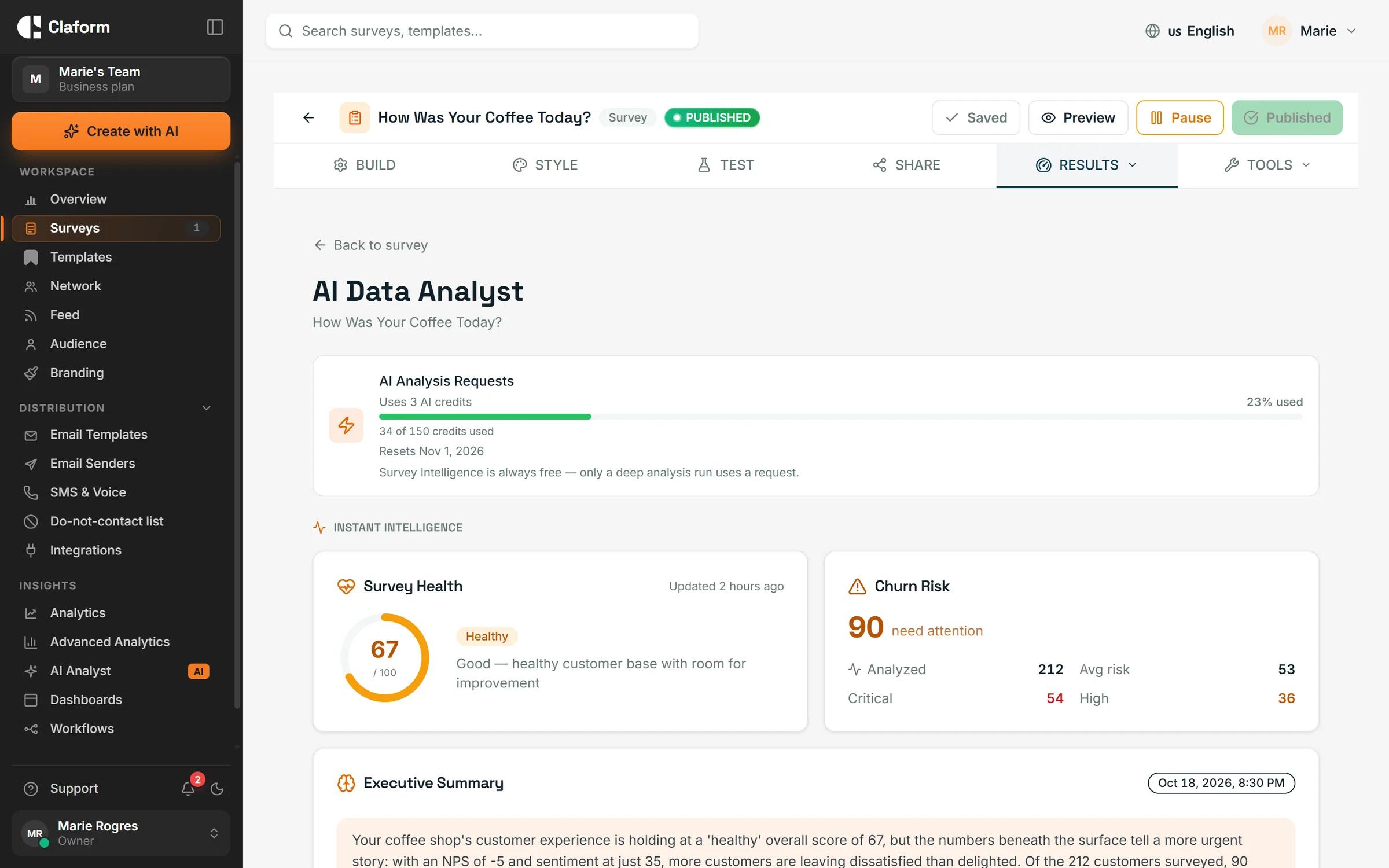
- Claform is an AI survey, form and quiz platform. Clue drafts a survey from a prompt, a document or a link; one survey goes out by email, SMS, WhatsApp, voice, QR code, kiosk, Slack or Microsoft Teams; and the AI Analyst explains the results and shows the statistic behind each finding.
- Best for
- Teams that want to build, send and understand surveys in one product, with public prices and no sales call.
- Standout features
- Eight channels from one survey: email and QR codes on Free, SMS from Starter, WhatsApp and voice from Professional.
- AI Analyst with key drivers, segment comparisons and the test statistic shown next to each finding.
- Workflows that turn a low score into an alert, a ticket or a follow-up, tested with a dry run first.
- Pricing starting point
- Free plan at $0 with no credit card. Starter $25, Professional $55 (7-day free trial), Business $149 per month; Enterprise is custom.
- Which Claform plan you need
- Free covers the AI builder, QR codes, email sharing and basic analytics. Quiz scoring, Stripe payment forms and kiosk mode with offline sync need Professional. SAML single sign-on needs Business.
2. Typeform
- What it is
- Typeform is a form and survey builder known for its one-question-at-a-time design, which makes forms feel like a conversation.
- Best for
- Design-led teams building short forms and quizzes shared by link or embedded on a website.
- Standout features
- Conversational, one-question-at-a-time layout.
- Quizzes and payment fields on paid plans.
- Embeds and integrations for marketing sites.
- Pricing starting point
- Free plan; Basic from $39 a month on monthly billing, as listed October 2026.
3. Google Forms
- What it is
- Google Forms is the free form builder that comes with a Google account. It covers quick surveys, quizzes and sign-up forms, with answers landing in Google Sheets.
- Best for
- Quick internal polls and simple forms when the budget is zero and your team already lives in Google Workspace.
- Standout features
- Free with a Google account, no plan to choose.
- Quiz mode with automatic grading.
- Responses flow into Google Sheets.
- Pricing starting point
- Free with a Google account; included in Google Workspace plans.
4. Jotform
- What it is
- Jotform is a widely used online form builder with a very large template catalogue, payment fields for many gateways and a mobile app with kiosk mode.
- Best for
- Teams that collect intake, orders and payments through forms and want a template for almost every case.
- Standout features
- Large template catalogue.
- Payment fields for many payment gateways.
- Mobile app with kiosk mode for collecting on a device.
- Pricing starting point
- Free plan with limits and paid plans; check Jotform's pricing page for current prices (October 2026).
5. Qualtrics
- What it is
- Qualtrics is an enterprise experience-management suite covering customer, employee, product and brand research, sold through its sales team.
- Best for
- Large organisations running many research programs that need the breadth of a full suite and a managed rollout.
- Standout features
- Customer, employee and market research in one suite.
- Offline app and SMS distribution, as listed on its public pages.
- iOS and Android SDKs for in-app feedback.
- Pricing starting point
- Quoted by its sales team; no public price list as of October 2026.
6. Zoho Survey
- What it is
- Zoho Survey is the survey tool in the Zoho suite. It offers templates, logic and reporting and connects to Zoho CRM and other Zoho apps.
- Best for
- Teams already using Zoho CRM or Zoho One that want surveys connected to their existing records.
- Standout features
- Part of the Zoho suite, with CRM integration.
- Templates, skip logic and piping.
- Reporting with filters and scheduled exports.
- Pricing starting point
- Free plan and paid plans; check Zoho Survey's pricing page for current prices (October 2026).
7. Microsoft Forms
- What it is
- Microsoft Forms is the survey, quiz and poll tool inside Microsoft 365. It works with Excel, Teams and SharePoint and is already available to most Microsoft 365 users.
- Best for
- Organisations standardised on Microsoft 365 that need simple internal surveys, polls and quizzes without buying another tool.
- Standout features
- Included with Microsoft 365, with a free version for personal Microsoft accounts.
- Results open in Excel; polls run inside Teams meetings.
- Quizzes with automatic grading for classrooms and training.
- Pricing starting point
- Included with Microsoft 365 subscriptions; a free version exists for personal Microsoft accounts (October 2026).
SurveyMonkey alternatives compared
Claform cells show the plan a feature needs. Other columns show what each vendor's public pages list; a dash means we could not confirm it.
| Feature | Claform | Typeform | Google Forms | Jotform | Qualtrics | Zoho Survey | Microsoft Forms |
|---|---|---|---|---|---|---|---|
| Free plan | Free forever, no card | Free plan with limits(Listed) | Free(Listed) | Free plan with limits(Listed) | —(Not confirmed by us) | —(Not confirmed by us) | —(Not confirmed by us) |
| Quizzes | Scoring on Professional | Listed(Listed) | Listed(Listed) | Listed(Listed) | —(Not confirmed by us) | —(Not confirmed by us) | —(Not confirmed by us) |
| Payment forms | Stripe payments on Professional | Listed(Listed) | —(Not confirmed by us) | Listed(Listed) | —(Not confirmed by us) | —(Not confirmed by us) | —(Not confirmed by us) |
| SMS surveys | From Starter | Higher-tier plans(On some plans or as an add-on) | —(Not confirmed by us) | —(Not confirmed by us) | Listed(Listed) | —(Not confirmed by us) | —(Not confirmed by us) |
| WhatsApp and voice surveys | From Professional | —(Not confirmed by us) | —(Not confirmed by us) | —(Not confirmed by us) | —(Not confirmed by us) | —(Not confirmed by us) | —(Not confirmed by us) |
| Offline or kiosk collection | Kiosk mode with offline sync, Professional | —(Not confirmed by us) | —(Not confirmed by us) | Kiosk mode in mobile app(Listed) | Offline app(Listed) | —(Not confirmed by us) | —(Not confirmed by us) |
| Native mobile SDKs | iOS, Android, React Native, Flutter | —(Not confirmed by us) | —(Not confirmed by us) | —(Not confirmed by us) | iOS and Android(Listed) | —(Not confirmed by us) | —(Not confirmed by us) |
| SAML single sign-on | Business plan | Enterprise plan(On some plans or as an add-on) | —(Not confirmed by us) | Enterprise plan(On some plans or as an add-on) | —(Not confirmed by us) | —(Not confirmed by us) | —(Not confirmed by us) |
SurveyMonkey alternatives: common questions
What is the best free alternative to SurveyMonkey?
Google Forms is free with a Google account and Microsoft Forms comes with Microsoft 365. Claform's Free plan is also $0 with no credit card and includes the AI survey builder, QR codes, email sharing, basic analytics and CSV export, with monthly allowances listed on the Pricing page.
Which SurveyMonkey alternative has the most channels?
Claform sends one survey by email, SMS, WhatsApp, voice, QR code, kiosk, Slack and Microsoft Teams. SMS starts on Starter and WhatsApp and voice on Professional. As of October 2026, SurveyMonkey lists SMS as an Enterprise add-on; Qualtrics lists SMS and an offline app.
Is there a SurveyMonkey alternative with AI analysis?
Claform's AI Analyst finds key drivers, compares segments and shows the test statistic behind each finding, so you can check its work. Clue, the AI builder, drafts the survey from a prompt, a PDF or a link. Other tools on this list describe AI features on their own sites; check each for what is included on which plan.
How do I move my surveys from SurveyMonkey?
To Claform, attach an exported copy of your survey (PDF or Word) or a link to it when you create a survey with Clue, review the draft it builds, and import contacts from a CSV file. Past responses are not imported, so keep your SurveyMonkey results export. Our migration guide walks through each step.
When should I stay with SurveyMonkey?
If your team already knows it, your IT department has approved it, and you run SurveyMonkey Enterprise with add-ons you depend on, the cost of switching may outweigh the gains. Try an alternative on a real survey before you decide.
Keep reading
The head-to-head comparison, the migration guide and the pages for the work you are doing.
- Claform vs SurveyMonkeyThe two tools feature by feature, with the plan each Claform feature needs.Read more
- Moving from SurveyMonkeyA step-by-step guide to bringing your questions and contacts over.Read more
- Claform pricingFree, Starter, Professional, Business and Enterprise, with what each includes.Read more
- Customer FeedbackNPS, CSAT, CES surveysRead more
- Employee EngagementPulse, 360, engagementRead more
- All alternatives and buyer guidesEvery ranked list and buyer guide in one place.Read more
Try the first one on the list
Start free with no credit card, or take the product tour with sample data first.