
Prerequisites
- A closed survey with its responses exported or open in an analytics view
- The decision or question the survey was meant to inform
Present survey results by answering the question the survey was run for on the first page, then supporting that answer with a small number of charts chosen by question type, each labeled with its sample size. Show distributions rather than averages alone, state the margin of error once, and write a different one-page version for each audience. A results report that follows that order gets read; one that walks through the questionnaire in question order does not.
This page covers the report structure, which chart to use for which question type, how to show NPS, CSAT and Likert data without misleading anyone, a one-page summary outline and stakeholder-specific versions.
Structure of a survey results report
Order the report by importance to the reader, not by the order of the questionnaire.
| Section | Length | Content |
|---|---|---|
| 1. Answer | 3 to 5 sentences | The question the survey set out to answer, and the answer, with the key number and its sample size |
| 2. Recommendations | 3 to 5 bullets | What to do, who owns it, by when |
| 3. Key findings | One page, 3 to 5 charts | The results that support the answer, one chart and one sentence each |
| 4. Detail by theme | As needed | Findings grouped by subject (product, support, pricing), each with the relevant chart and segment comparisons |
| 5. Open-ended themes | Half a page | The top themes with counts and two or three verbatim quotes each |
| 6. Method | Half a page | Who was invited, how many responded, response rate, dates, channel, margin of error, known biases |
| 7. Appendix | Any length | Every question with its full distribution and n |
Put the method section at the end, but do not skip it. A reader who wants to challenge the findings goes there first, and a report without it loses the argument.
Which chart for which question type
| Question type | Chart | Avoid |
|---|---|---|
| Single choice (nominal) | Horizontal bar, sorted by share | Pie charts with more than three slices |
| Multiple choice | Horizontal bar of share selecting each option; note that totals exceed 100 percent | Stacked bars (options are not exclusive) |
| Likert / rating scale | Diverging stacked bar (negative left, neutral center, positive right), one row per item | A lone mean with no distribution |
| NPS (0 to 10) | Stacked bar of detractors, passives, promoters, with the score beside it | A gauge; a line chart of the score without n per period |
| CSAT (5-point) | Stacked bar of the five points, with top-two-box share labeled | An average "out of 5" |
| Ranking | Bar of share ranking each item first, or average rank with the distribution | Average rank alone |
| Numeric (age, spend, count) | Histogram, with median and range | A bar per distinct value |
| Matrix | Diverging stacked bar per row, rows sorted by top-two-box | A heat map with no numbers |
| Trend over time | Line chart with n labeled per point, confidence band if n varies | Connecting two points and calling it a trend |
| Comparison across segments | Grouped horizontal bars or a small table with n per segment | Segments with fewer than 30 responses shown without a warning |
| Open-ended | Bar of theme counts plus quotes | Word clouds as the only output |
Every chart carries three labels: the exact question wording, the number of respondents (n), and the date range. Start bar axes at zero. Use one color for the thing you are talking about and gray for everything else.
How to show NPS, CSAT and Likert data honestly
Show the distribution, not only the score
NPS of +20 can be 50 percent promoters and 30 percent detractors, or 30 percent promoters and 10 percent detractors. Those are different customer bases and lead to different actions, so show the three groups next to the score. The same applies to CSAT: "72 percent satisfied" should sit beside "9 percent dissatisfied."
Use top-two-box for scale questions
For a 5-point item, report the share who chose the top two points (the top-two-box) and the share who chose the bottom two. Both are percentages, easy to compare across items and over time, and they do not pretend that the distance between "Agree" and "Strongly agree" is a known quantity. Report a mean only alongside the distribution, and only for items on the same scale.
Put n on everything
A segment of 18 respondents with 83 percent satisfied is 15 people. Print n on every chart and every table cell that reports a percentage. If a segment has fewer than 30 responses, show it in gray with a note, or fold it into a larger group.
State the margin of error once
For a simple random sample, the 95 percent margin of error on a percentage near 50 percent is approximately:
margin of error = 1.96 × sqrt( p × (1 − p) / n )
| Responses (n) | Margin of error at p = 50 percent |
|---|---|
| 100 | about ±10 points |
| 200 | about ±7 points |
| 400 | about ±5 points |
| 1,000 | about ±3 points |
Write it in the method section as: "With 412 responses, percentages have a margin of error of about ±5 points at 95 percent confidence; differences between segments smaller than that are not reliable." The margin of error calculator gives the figure for your n and population. For differences between two groups, the margin is larger (roughly 1.4 times the single-group figure when the groups are the same size), which is why a 3-point gap between regions of 150 people each is noise.
Compare like with like
Compare this quarter with last quarter only if the question wording, scale and audience stayed the same. If any changed, say so on the chart and do not draw the trend line through the change.
A one-page summary outline
Copy this and fill it in. It fits on one page or one slide.
Title: [Survey name], [dates], n = [responses] of [invited] ([response rate] percent)
Question we asked: [The decision the survey informs, in one sentence.]
Answer: [One sentence with the key number.] Example: "58 percent of new customers found the onboarding video unclear (n = 412, ±5 points), and unclear-video customers were twice as likely to contact support in week one."
Three findings:
- [Finding, number, n.]
- [Finding, number, n.]
- [Finding, number, n.]
Recommendation: [Action, owner, date.]
What we will measure next: [The question and the date of the next survey.]
Caveats: [Who is under-represented, what changed since the last survey.]
Stakeholder-specific versions
The same data, three different pages.
| Audience | Leads with | Charts | Length | Leaves out |
|---|---|---|---|---|
| Executives | The answer and the recommendation with its cost | One or two: the headline metric and the trend | One page | Question-by-question detail, method beyond one line |
| Team that owns the fix (product, support, HR) | The findings by theme, with segment comparisons | Three to six: the diverging bars for their items and the open-ended themes | Two to four pages | Metrics for other teams |
| Respondents (customers or employees) | Thanks, the two or three things you heard, what will change and when | One, at most | Half a page or an email | Anything confidential, any number without context |
| Analysts and researchers | The method, the full distributions, the data file | All, in the appendix | As long as needed | Narrative; they want the tables |
Send the respondent version. It is the cheapest thing you can do for the next survey's response rate.
Common mistakes
- Reporting in questionnaire order. Reorder by importance to the decision.
- Averages without distributions. Add the stacked bar or the top-two-box and bottom-two-box shares.
- Percentages without n. Label every chart and every cell.
- Segments too small to read, shown with the same confidence as the total. Gray them out or merge.
- Pie charts for Likert items. Use diverging stacked bars.
- Trend lines across a wording change. Break the line and annotate.
- A word cloud as the analysis of open-ended answers. Count themes and quote verbatims.
- A 40-slide deck for executives. One page, then the appendix for those who ask.
Doing this in Claform
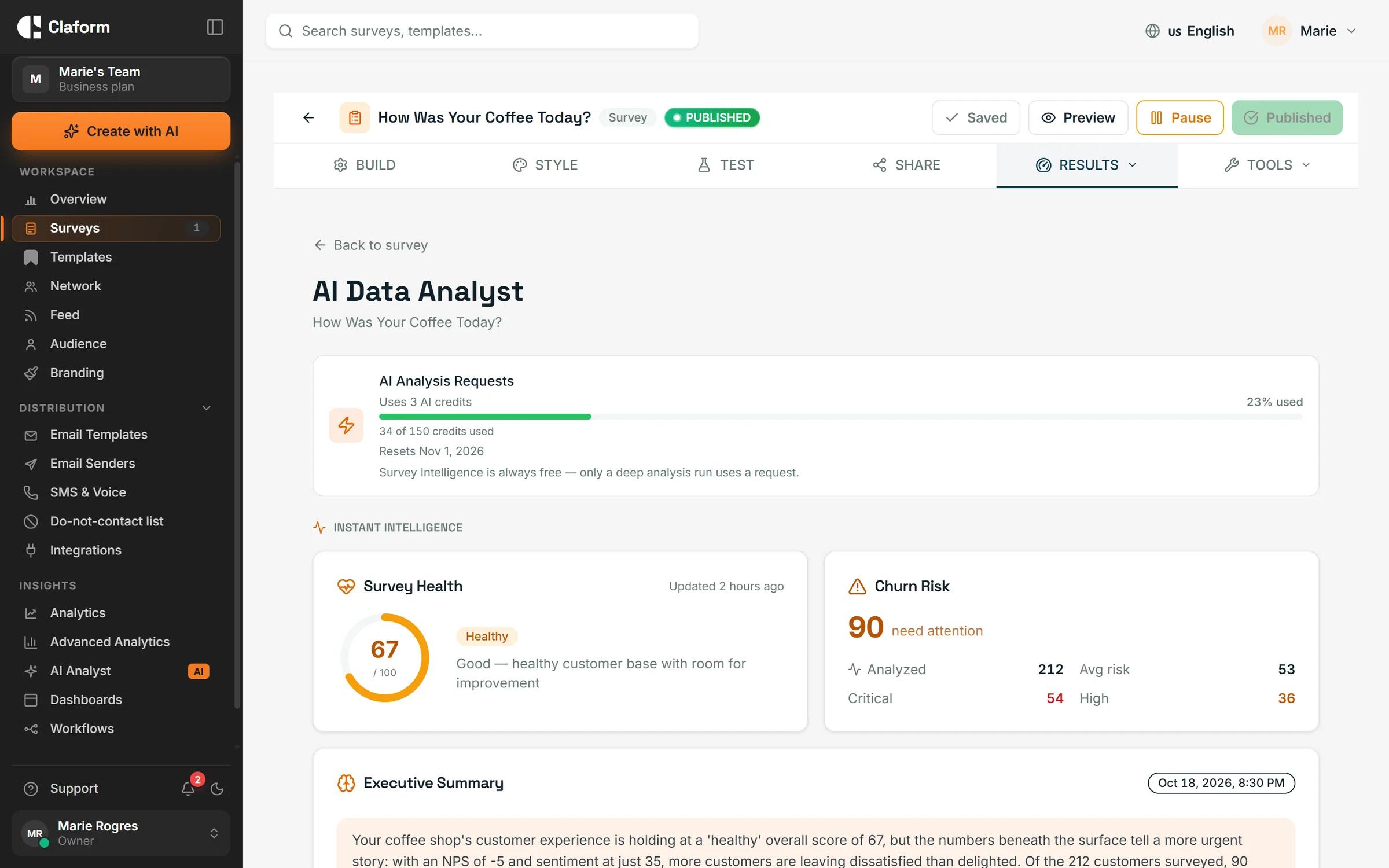
The results view shows every question as a distribution with n, and the compare-by control splits any chart by another question (plan, region, department) so segment tables come straight from the survey rather than a spreadsheet. The AI Analyst produces a written report from a closed survey: findings with the supporting numbers, key drivers of the headline metric, themes from open-ended answers and recommendations, which you can edit into the one-page summary above. For charts in your own slides, export the per-question data and keep the labels (question wording, n, dates) with them. See the analytics and AI Analyst pages for what each view includes, and survey analytics dashboards for building a live dashboard instead of a static report.
For the analysis that comes before the report (cleaning, weighting, cross-tabulation, significance), see survey data analysis techniques.
Frequently asked questions
How do you present survey results in a report?
Lead with the answer to the question the survey was run for, then the recommendations, then three to five charts that support the answer, each labeled with question wording, n and dates. Put the method and the full question-by-question appendix at the end.
What is the best chart for survey results?
It depends on the question type. Horizontal bars for single-choice questions, diverging stacked bars for Likert and matrix items, stacked bars of detractors, passives and promoters for NPS, histograms for numeric answers and theme counts with quotes for open-ended questions. Pie charts rarely help.
Should I report the mean of a Likert scale?
Only alongside the distribution. Report the top-two-box and bottom-two-box shares as the main numbers, because they are percentages that compare cleanly across items and over time. A mean on its own hides polarized answers.
How do I present survey results in PowerPoint?
One slide with the answer and recommendation, one slide per key finding with a single chart and one sentence, then an appendix. Label n on every chart, use one highlight color, and keep the method on one slide at the end.
How do I show the margin of error in survey results?
State it once in the method section for the total sample ("±5 points at 95 percent confidence, n = 412"), and flag any segment comparison where the gap is smaller than the combined margin. Error bars on every chart are optional; n on every chart is not.

Analysis and statistics