Prerequisites
- A decision or question the survey needs to inform
To create a survey, start with the decision it has to inform and work backward: who can answer, which questions give you that answer, in what order, and how you will read the results. A survey built this way is usually under ten questions, takes less than five minutes to complete, and produces numbers someone will act on. The eight steps below are the procedure to follow for a first survey, and they still hold for the hundredth.
This page covers the whole procedure from goal to analysis. For the design principles behind each step, see the guide to survey design.
Step 1: Define the decision, not the topic
"We want feedback on onboarding" is a topic. "We need to decide whether to replace the onboarding video with a live call before the next quarter" is a decision. Surveys built around a topic grow long and vague; surveys built around a decision stay short and get used.
Write a one-sentence brief before you open any tool. A fill-in version:
We need to decide [decision] by [date]. To decide well we need to know [two or three things] from [group]. If the answer is [X] we will [action]; if it is [Y] we will [other action].
Filled in:
We need to decide whether to replace the onboarding video with a live call by March 15. To decide well we need to know how clear new customers found the video, where they got stuck in their first week, and whether they would have joined a 20-minute call, from customers who signed up in the last 60 days. If fewer than half found the video clear we will pilot calls; if most did, we will fix the two most common sticking points instead.
If you cannot name the action for each likely answer, the survey is not ready to build yet.
Step 2: Choose who to ask and how many
The brief names the group. Now decide whether you need everyone in it or a sample.
| Situation | Approach | Notes |
|---|---|---|
| Small group (under 200): a team, a class, a cohort | Ask everyone | Aim for a high response rate; every missing answer matters |
| Large group with a contact list | Random sample, or everyone with a short survey | Randomize who gets the invitation, not who answers |
| Public or anonymous audience (website visitors, event attendees) | Intercept or open link | Expect self-selection; say so in the report |
| Decision depends on sub-groups (by plan, region, department) | Sample enough in each sub-group | 50 to 100 completed responses per group is a practical floor for comparing them |
For a group of thousands, a few hundred completed responses usually give a margin of error of around 5 points at 95 percent confidence; use a sample size calculator with your own population size before you decide. Keep the respondent list honest: a survey of people who already opened your last three emails tells you about engaged customers, not about all of them.
Step 3: Write the questions
Write one question per thing in the brief, then stop. Add a question only if you can say which decision it changes. Most surveys of this kind end up with five to ten questions.
For each question, pick the simplest type that captures the answer. Single choice for a fact, a rating scale for an attitude, a short open text for the "why". The survey question types guide covers all the options; the four below handle most surveys.
| You need to know | Question type | Example |
|---|---|---|
| A fact with fixed options | Single choice | "Which plan are you on?" |
| An attitude or evaluation | Rating or Likert scale | "How clear was the onboarding video?" Very unclear to Very clear |
| A priority among items | Ranking or multiple choice (limit 3) | "Which three features matter most to you?" |
| The reason behind a rating | Open text, optional | "What would have made the first week easier?" |
Wording rules that fix most problems:
- One idea per question. "Was the video clear and useful?" is two questions.
- Neutral framing. "How would you rate the video?" rather than "How helpful was our video?"
- Balanced scales with a label on every point.
- Plain words. If a respondent has to re-read it, rewrite it.
- An escape option ("Not applicable", "Don't know") wherever someone could honestly have no answer.
Before and after:
Before: "Did our helpful onboarding video and welcome emails make it easy to get started?"
After: "How easy was it to get started in your first week?" Very difficult, Difficult, Neither, Easy, Very easy
Follow-up: "What made it difficult?" (shown only to Very difficult and Difficult)
Step 4: Order the questions and add logic
A good order:
- One easy, relevant opener that everyone can answer (a single-choice fact or an overall rating).
- The core questions from the brief, grouped by subject.
- Sensitive or effortful questions (open text, anything about money or performance).
- Demographic or classification questions last, and only the ones you will use to segment results.
Use skip logic to hide questions that do not apply. The two patterns that cover most cases:
- Branch on a screener: "Did you watch the onboarding video?" If No, skip the questions about it.
- Branch on a rating: show "What went wrong?" only to people who rated 1 or 2, and "What worked well?" only to people who rated 4 or 5.
Logic shortens the survey for each respondent, which matters more for completion than almost anything else you can do after the questions are written.
Step 5: Write the introduction and the thank-you page
The introduction should answer, in order: why you are asking, how long it takes, who sees the answers, and what happens as a result. Four sentences is enough:
We are deciding how to improve the first week for new customers. This survey takes about 3 minutes. Your answers are confidential and reported only in aggregate. We will share what we change by the end of March.
The thank-you page repeats the last promise and, if useful, offers a way to say more (a contact address or a link). Eight more introductions for other situations are in survey introduction examples.
Step 6: Test the survey
Testing takes thirty minutes and saves the project. Run this checklist:
- Take the survey on your phone from start to finish. Time it. If it is over five minutes, cut questions.
- Walk every logic path: answer so that each branch triggers and check that the right questions appear.
- Send it to three people who were not involved in writing it. Ask them which question they hesitated on.
- Check the results view with the test responses: does each question produce a chart you can read?
- Delete the test responses before launch.
Pay attention to the question your testers hesitated on. That hesitation becomes a drop-off point at scale.
Step 7: Distribute and send one reminder
Send the survey through the channel your respondents already use. Email works for customers and employees with inboxes; SMS or WhatsApp for people who do not sit at a desk; a QR code for events, stores and clinics; Slack or Teams for internal pulse checks.
Timing matters less than people think, but two rules hold: send mid-week during working hours for business audiences, and send transactional surveys (after a purchase, a ticket, an appointment) within a day of the event. Send one reminder to non-responders about three days after the invitation. A second reminder adds a little; a third mostly adds annoyance.
Keep the survey open for a fixed window (one to two weeks is typical) and state the closing date in the reminder.
Step 8: Analyze the results and act
Go back to the brief and answer its question first. Everything else in the analysis is supporting detail.
- Check the response count and who answered. If one segment is heavily over-represented, say so in the report.
- For each rating question, look at the distribution, not just the average. A mean of 3.4 can be "everyone is lukewarm" or "half love it, half hate it", and those lead to different decisions.
- Compare segments only where each has enough responses to trust (dozens, not a handful).
- Read the open-text answers for the low raters. They usually explain the numbers.
- Write a one-page summary: the decision, the answer, two or three supporting charts, the recommended action, and what you will measure next.
Then act, and tell respondents what changed. The next survey's response rate depends on it.
Common mistakes
- Starting in the tool instead of with the brief. The fix is Step 1, on paper, before the first question.
- Asking everything you are curious about. Cut any question you cannot tie to the decision.
- Scales that change direction or length between questions. Use one scale style throughout.
- Required open-text questions. Make them optional; forced text produces "n/a" and abandonment.
- No test on a phone. Most respondents will be on one.
- Reporting averages without distributions or sample sizes. Show both.
- Collecting answers and not closing the loop. Tell people what you did with their feedback.
Doing this in Claform
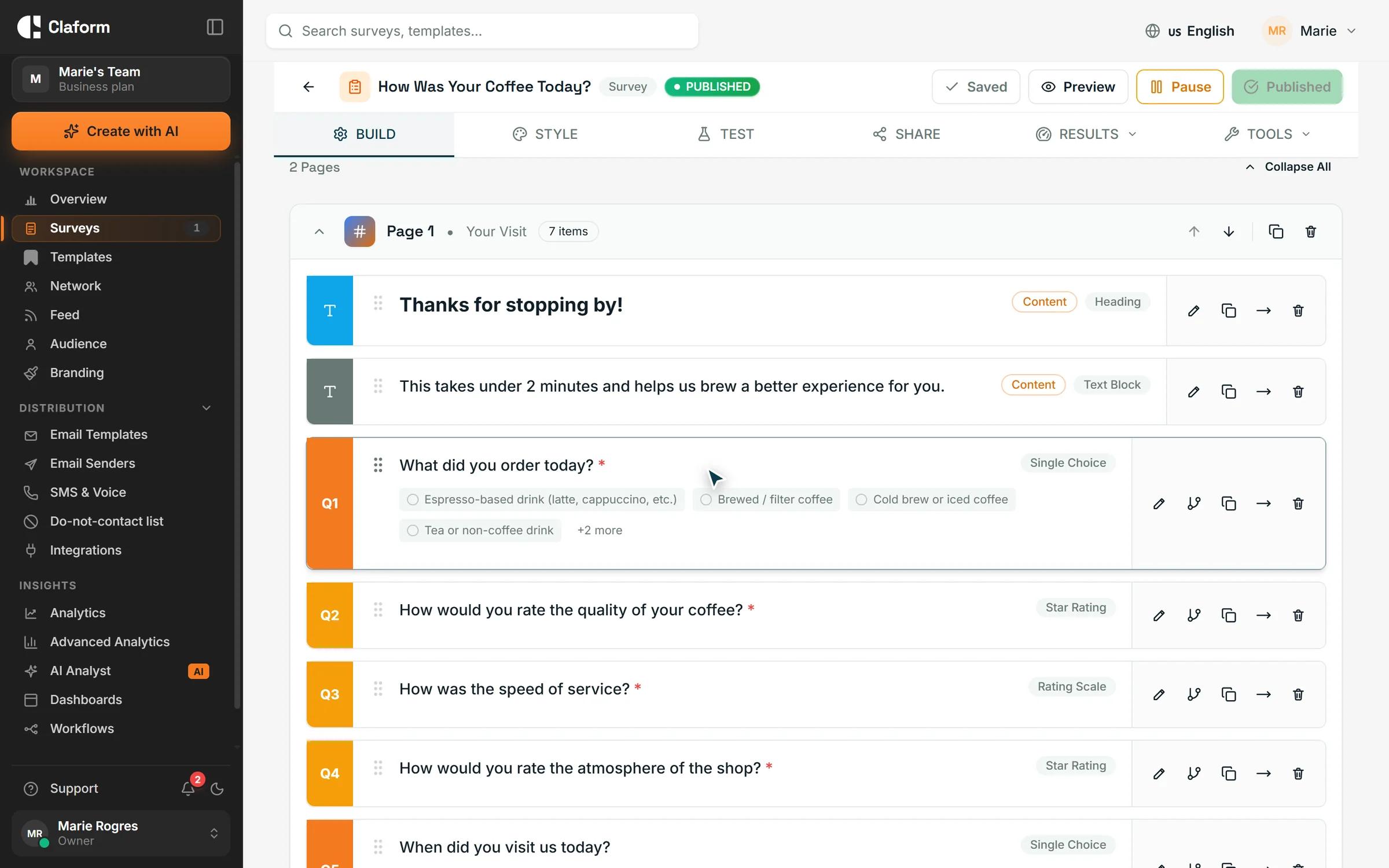
The survey builder gives you the question types in the table above and more than 30 others, with skip logic set per question and a live preview you can open on your phone. If you prefer to start from a draft, Clue AI writes a first version from a one-paragraph prompt (paste your brief from Step 1), and the template library has starting points for onboarding, satisfaction, event and employee surveys you can edit. Publishing opens the share screen, where email, SMS, WhatsApp, QR code and the other channels sit side by side, and the results view shows each question as a distribution with compare-by for segments. See the survey builder and the templates, or walk through the whole flow in the product demo.
Frequently asked questions
How many questions should a survey have?
Enough to inform the decision and no more. For most customer and employee surveys that is five to ten questions and under five minutes. Long research instruments can run longer, but each extra minute costs completions, so cut anything you cannot tie to a specific use of the answer.
What is the first step in creating a survey?
Write down the decision the survey will inform, the date you need it by, and what you will do with each likely answer. Everything else (who to ask, which questions, which channel) follows from that sentence, and surveys that skip it tend to grow long and go unused.
How do I make a survey for free?
Most survey tools, including Claform, have a free plan that covers a short survey with the core question types and a shareable link. Write the brief and questions first in a document, then build the survey in the tool, test it on a phone and share the link by email or message.
Should I send a survey by email or by link?
Use email when you have addresses and want to track who has responded so you can remind them. Use an open link or QR code when you do not have a list, for events, stores or a website. Both can run from the same survey; the difference is in how you distribute it.
How long should I keep a survey open?
One to two weeks for most invitations, with one reminder around day three. Transactional surveys (after a purchase or support ticket) should go out within a day of the event and close within a week, because the memory fades quickly.

Product usage, templates and distribution