How often to survey customers without causing fatigue
Survey frequency rules for relationship and transactional surveys: contact caps per person, rest periods after a response, sampling and the signs of fatigue.
How often to survey customers comes down to three limits: ask each customer about the overall relationship once or twice a year, about a specific interaction no more than once a month, and never send one person more than one invitation in any 30 days, whichever team sends it. Rest people for 90 days after they answer, and sample a monthly slice instead of surveying everyone.
If your response rate slides wave after wave, or you survey once a year and hear about problems from customers who already left, the fix is the same: a cadence per survey type, one contact rule for every team, and a monthly look at the data for signs of survey fatigue.
How often to survey customers, by survey type
Relationship surveys run on a slow calendar and transactional surveys run on events, so each needs its own cadence. A relationship survey asks how customers feel about you overall (NPS or overall satisfaction). A transactional survey asks about one recent interaction: a purchase, a support ticket, a delivery or a visit.
| Survey type | What it measures | How often per person | When to send |
|---|---|---|---|
| Relationship (NPS, overall satisfaction) | How customers feel about you overall | Once or twice a year | Continuously, to a random slice of customers each month |
| Transactional (CSAT or CES) | One recent interaction | At most once in 30 days | Within 24 hours of the event |
| Onboarding | The first weeks with your product or service | Once | 14 to 30 days after signup |
| Research (pricing, concept, roadmap) | A specific decision | Counts toward the contact rule | One-off, open for one to two weeks |
| Cancellation | Why customers leave | Once | Inside the cancel flow |
| Always-on (feedback button, QR code) | Whatever people choose to tell you | Not limited: the person starts it | Always open |
Attitudes toward a supplier move slowly. Asking the same person every quarter produces near-identical answers and a falling response rate, while a monthly random slice gives you a monthly trend and asks each customer once a year. For transactional surveys, the rule is "after the moments that matter, not after every moment": if a customer had three support tickets this month, survey the first and skip the rest until 30 days have passed. Complaints still go to follow-up; only the survey is skipped.
A frequent over-surveying pattern is a relationship question attached to every transaction. It asks about the whole relationship far too often, and it lets one bad phone call stand in for years of service.
A contact rule every team follows
Fatigue comes from the total number of requests a person receives, not from any single survey, so the rule has to cover every team that sends surveys: support, product, marketing, research and success. Copy this as a starting point and adjust the numbers to your business:
Survey contact rule (customers)
1. At most 1 survey invitation per person in any 30 days, across all teams.
2. At most 6 survey invitations per person per year.
3. Up to 2 reminders per invitation, only to people who have not answered.
   Reminders belong to the invitation and do not count as new ones.
4. After a completed survey: no relationship or research survey for 90 days.
   Transactional surveys can resume after 30 days.
5. After 2 ignored invitations in a row: skip the person for 6 months.
6. Open complaint or support case: no survey until it is closed.
7. Feedback the person starts (website button, QR code) does not count.
8. Anyone who opts out of surveys is never invited again, on any channel.
9. When two surveys compete for the same person: a transactional survey
   about a recent problem first, then relationship, then research.
Give the rule an owner, usually customer experience operations, and keep one survey calendar that every team books into. A product manager who wants 300 customers for a pricing study asks for a slot, and the owner draws the sample from people the rule allows.
Suppress people after they respond
Remove anyone who answered recently, anyone with an open case and anyone who has stopped responding from the next send list. To do that you need two dates per contact, last invited and last responded, kept in one place every team can see.
An example of building one month's relationship send:
This month's random slice                      2,000 customers
minus invited to any survey in the last 30 days  -260
minus answered any survey in the last 90 days    -180
minus ignored the last 2 invitations              -95
minus an open support case                        -40
Invited this month                              1,425
The people removed are not lost: they return to the pool when their rest period ends. Reminders go only to the people in the final list who have not answered, which needs a personal link per person rather than one open link.
Sample instead of surveying everyone
You need enough answers to see a change, not an answer from every customer, and a random sample gets you there with far fewer requests. For a percentage near 50 percent, 400 completed responses give a margin of error of about plus or minus 5 points at 95 percent confidence; 200 give about plus or minus 7. The sample size calculator works it out for your population.
A worked example for a quarterly relationship reading:
Active customers                              24,000
Completed responses needed per quarter           400  (about ±5 points)
Response rate in your last wave                  10%
Invitations needed per quarter                 4,000  (400 / 0.10)
Invitations per month                   about 1,330
Each customer is invited                about once every 18 months
Compare that with surveying all 24,000 customers every quarter: four requests per person per year, most of them unnecessary for the precision you need. If you want to compare segments, such as plans or regions, size each segment separately and sample more where a segment is small.
Draw the slice at random from everyone the contact rule allows, or at random within each segment. Do not draw it from the customers who opened your last email: that sample overstates how engaged and satisfied your customers are.
Signs of survey fatigue in your data
Fatigue shows up as a slow slide across waves rather than a sudden drop, so compare the same survey wave over wave and split the results by how often each person has been surveyed.
| Signal | How to measure it | What it usually means |
|---|---|---|
| Falling response rate | Completed responses divided by delivered invitations, per wave, same population | Too many requests, or no visible action on the last survey |
| Falling completion rate | Completed divided by started | The survey is too long or later questions do not apply |
| Straight-lining | Share of respondents who give the same answer to every row of a grid | Attention has run out; see straight-lining |
| Speeding | Completions much faster than the median time; a common screen flags anyone under a third of the median | People are rushing to finish |
| Shorter open answers | Median length of open-text answers, per wave | Less effort per response |
| More skips and "Don't know" late in the survey | Missing answers by question position | Fatigue inside the survey |
| Opt-outs after survey sends | Opt-outs and unsubscribes per 1,000 invitations | Too many requests from you overall |
The single most useful check is the response rate by contact count. Group the people invited in the latest wave by how many survey invitations each received in the past 12 months (one, two, three, four or more) and compare their response rates. If the rate falls steeply as the count rises, frequency is the cause and the contact rule is the fix. If it is flat, look elsewhere: survey length, the invitation, or delivery. Before blaming fatigue, confirm that invitations were delivered and opened at the usual rate; a spam-folder problem looks like fatigue in the response numbers.
Let people set their own frequency
Some customers are happy to answer often and others want to be asked rarely. One optional question at the end of a relationship survey lets them say so, and honoring the answer does more for future response rates than any reminder.
Store the answer on the contact and apply it before the general rule. Then show people that answering is worth it: tell them what changed because of the last survey, in the invitation and on the thank-you page. The guide to improving survey response rates covers how to word that.
Common mistakes
- Each team sets its own cadence. Agree one contact rule and one survey calendar.
- A survey after every interaction. Limit transactional surveys to one per person in 30 days.
- One big survey a year. Switch to a monthly random slice so problems surface within weeks.
- Reminders to everyone. Send them only to non-responders, at most two.
- Blaming the channel when the response rate falls. Check the response rate by contact count first.
- Surveying a customer whose complaint is still open. Hold the survey until the case is closed.
Doing this in Claform
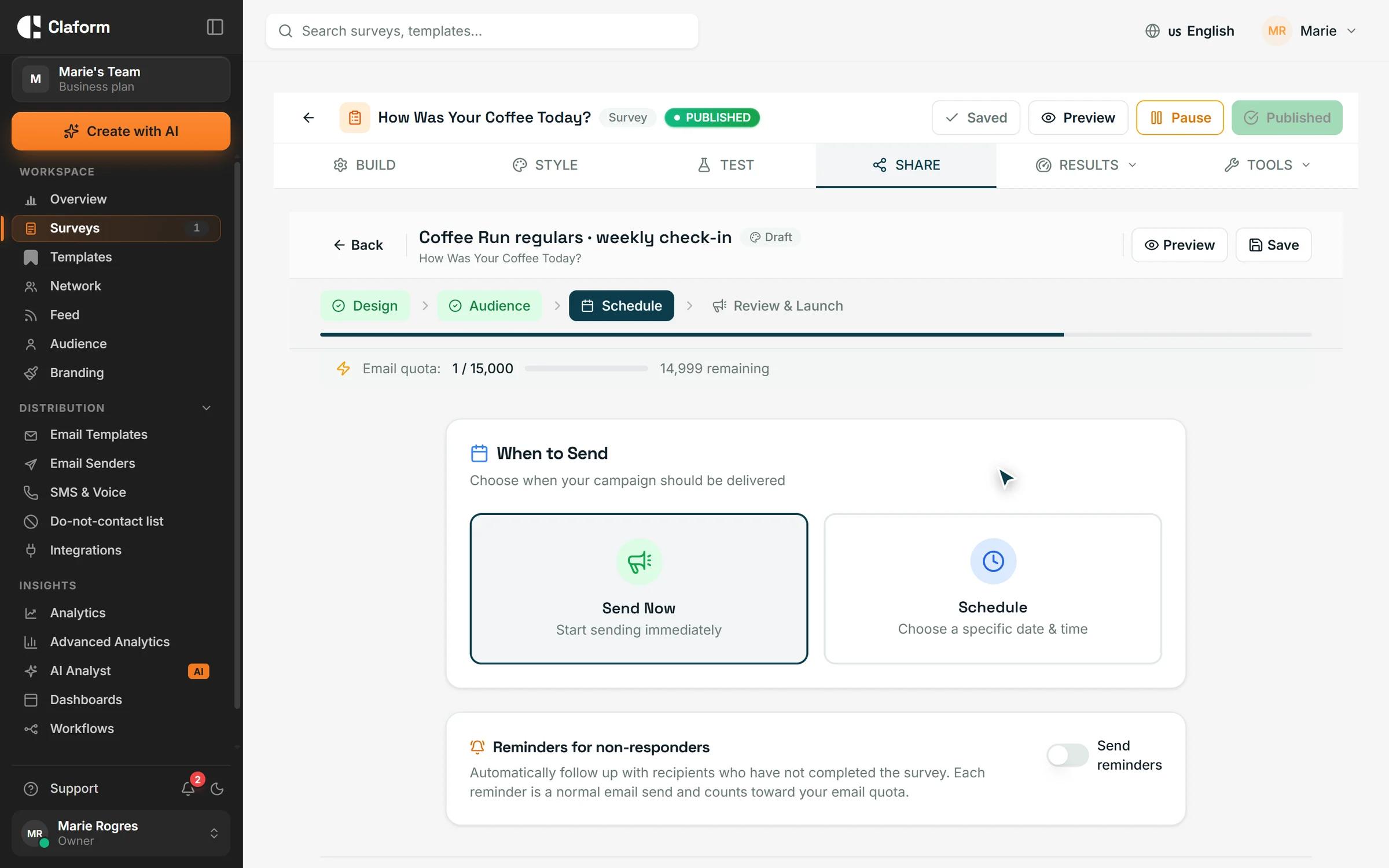
In Claform you run the contact rule with scheduling, audiences and workflows. Campaigns send now or at a scheduled date, time and time zone, and email reminders (up to three, or fewer if you choose) go only to people who have not answered. Audience lists come from CSV imports and can be segmented by tags; the do-not-contact list collects unsubscribes, bounces and complaints automatically and takes addresses you add yourself, and every email campaign skips it. A workflow that starts when a response is completed can add the respondent to an audience such as "Answered in the last 90 days" when the response includes their email, which gives you the list to remove from the next send. Every survey reports completion, drop-off by question and time to complete, the first places in-survey fatigue shows. See automation for the workflow triggers and actions.
Frequently asked questions
How often should you send an NPS survey?
Ask each customer the relationship NPS question once or twice a year, and run the program continuously by sending to a random slice of customers every month. That gives you a monthly trend without asking anyone more often. After specific interactions, use a short transactional question such as CSAT or CES instead of repeating NPS.
How often is too often to survey customers?
More than one survey invitation per person in 30 days is too often for most customer relationships, counting every team that sends surveys. The clearest sign you have crossed the line is in your own data: people who received the most invitations in the past year respond far less than people who received one.
How do I know if customers have survey fatigue?
Look for a response rate that falls wave over wave on the same population, a completion rate that falls, more straight-lining and speeding, shorter open answers and more opt-outs after sends. Then compare response rates by how many invitations each person received in the past 12 months; a steep fall points to frequency.
Should I send a survey after every purchase?
No. Survey a purchase when it tells you something new, such as a first order or a high-value order, and limit each customer to one transactional survey in 30 days. Frequent buyers would otherwise get a survey every week, and their answers would start to repeat or stop altogether.
How often should employee surveys run?
Many teams run a short pulse survey monthly or quarterly and a longer engagement survey once a year. The same rules apply as for customers: keep the pulse to a few questions, send reminders only to people who have not answered, and share what changed after each round, or participation will fall.